Guide · General
Software Cost Management: A Practical Guide for 2026
Learn how software cost management works: track licenses, review usage and set spend controls, with sourced 2026 figures.
By the Rankozo research desk · Updated November 26, 2026 · 13 min read
6.4% of 3,555 software projects with labor costs of at least $10 million were judged successful, and 41.4% were abandoned or restarted from scratch, according to a U.S. Department of Transportation-sponsored analysis of large public and commercial IT programs.
That figure comes from a world of programs with labor costs of at least $10 million, but the mechanism behind it runs in every company that pays a software bill. Cost escapes through seats nobody logs into, tiers nobody reviews, cloud resources nobody claims, and meters nobody reads between invoices. Most cost guides skip these line items because they never appear as a single number on any invoice.
The invoice only records prices someone once agreed to. Software cost management starts a step earlier, at whether the seat, the plan and the meter still earn their place. Before anyone claims savings, each license has to be classified as used, idle or unused, and each metered resource tied to a named owner. Without that classification, a cut is a guess.
The work itself is routine rather than technical: one register, one monthly review, and a written rule for buying anything new.
Table of Contents
- What Software Cost Management Covers
- How Software Cost Management Works in Four Stages
- Tracking Licenses So No Seat Goes Unnoticed
- How to Run a Monthly Usage Review
- Where AI and Usage-Based Pricing Change the Math
- Setting Spend Controls That Hold at Renewal
- Build Your First Spend Register This Month
What Software Cost Management Covers
Software cost management is the routine work of knowing what each tool costs, who owns it, whether anyone uses it, and whether it still earns its renewal. It covers more than the monthly invoice. It covers the seat bought for a contractor who left in March, the staging environment still running in August, and the AI assistant whose monthly fee is small while its token bill is not.
The payment clears whether or not anyone looks at the usage behind it, and an itemised bill solves nothing if nobody reads it. Before anyone can claim savings, each line has to be classified as a seat, a meter, or a project, because the savings test differs for each. A seat is tested by logins, a meter by consumption, a project by budget against forecast.
Six layers, six billing mechanics
Each layer is charged differently and needs a different number to track it. Most layers have no credible published benchmark rate, so the cells carry the rule that sets the number instead.
| Cost layer | How it is billed | What to track | Benchmark or rule |
|---|---|---|---|
| Subscription licenses | Per seat or per plan, monthly or annual | Seats, plan tier, renewal date | Count active users per seat each month; a seat with no logins in the period is a downgrade or removal candidate |
| Cloud infrastructure (IaaS and PaaS) | Metered by compute, storage and platform use | Tags, idle resources, named owners | Every untagged resource needs a named owner before the next invoice, because metered spend grows whether or not anyone claims it |
| Cloud-hosted software | Subscription or metered by public-cloud use | Entitlements and usage tiers | Compare entitlements with actual use each quarter; a tier bought for peak usage keeps billing at peak after the peak passes |
| Usage and AI consumption | Per token, per API call or per overage | Volume against the committed volume, model choice, review hours | Compare the month's usage with the contracted volume, because a seat count says nothing about consumption |
| Implementation and change | Projects, integrations and migrations | Budget against forecast | Measure spend against the original estimate at each milestone, not just at delivery |
| Audit and true-up | Catch-up charges when installs exceed entitlements | Installs against entitlements | Count installs monthly, since the first install above the purchased count starts the catch-up charge |
The oldest benchmark in the field is still the most quoted. The Standish Group's 1994 CHAOS research recorded an average cost overrun of 189% of the original estimate, which means a project budgeted at $100,000 ended up costing about $289,000. Later academic review questioned the study's sampling, so treat it as a historical marker of how weak governance turns a low estimate into a much larger total, not as a current universal rate.
Cloud spend is the layer most finance and operations leads underestimate. A Flexera report on cloud spending found that 84% of organizations identified managing cloud spend as their top cloud challenge in 2025, based on a worldwide survey of more than 750 technical professionals and executives. A problem that common is not confined to companies with a platform team.
A ten-person firm meets the same mechanics at smaller scale: fewer seats, one cloud account, a shorter renewal calendar. The arithmetic shrinks. The discipline doesn't. Before building anything, find the layer where most of your spend sits, because that layer decides where the first review goes. Subscription seats dominate for a services firm, infrastructure dominates for a product team, and implementation and change dominate for anyone mid-migration.
How Software Cost Management Works in Four Stages
A register nobody updates is a price list. The cycle below is what turns it into a control system, and it runs once a month rather than once a year.
Inventory, allocate, review, control
Inventory. One register holds vendor, plan, seat count, price, currency, billing period, renewal date and notice period for every paid tool, plus the date each price was checked. Include the tools a team bought on its own card, because those are the lines that never reach finance.
Allocate. Every line gets a named owner. The AWS guidance on building a cost allocation strategy sets out the sequence: define the organizational account and cost structure, publish a standardized tagging dictionary, enforce the tags through infrastructure as code or automated controls, then activate eligible tags for billing analysis. It recommends carrying business unit, cost center, product, application, environment, project and owner as the dimensions. When a tag is missing, chase it down. Shared overhead is where accountability goes to die.
Review. Compare invoices and usage with the forecast for the period, then have product owners explain any variance above an agreed threshold. The decision is the purpose of the meeting. The FinOps Foundation's 2025 survey, covering 861 respondents who represent about $69 billion in public-cloud spending, found that only 15% of global practices made optimizations based on cost. Many teams can see spend without acting on it, which is why a review that ends without a named decision and a date hasn't finished.
Control. Rules apply before money is committed: who can approve a new tool, how far ahead a renewal is flagged, and what happens when a month runs over budget.
A price or owner change that never reaches the register reappears as an unexplained invoice six months later. Keep the register as the single source for both the review and the controls, and leave the finance system to hold what has already been paid for.
The test for this week: can you name the owner, the seat count and the renewal date for every tool you pay for? One missing field means the register is still a draft.
Tracking Licenses So No Seat Goes Unnoticed
A purchased seat stays billable after the person assigned to it stops logging in. The Zylo 2024 SaaS Management Index reported that companies used only 49% of their provisioned SaaS licenses on average, and that the average organization in its analysis carried $18 million in annual license waste.
That number needs a caveat before anyone budgets a saving against it. It compares provisioned licenses with measured use, not licenses that can be cancelled next week. Seasonal staff, contractors, security coverage and planned hiring all hold seats that look inactive and aren't.
What counts as a seat
Whether a license covers a person, several people at once, a device or a unit inside a plan depends on the contract, and the register has to record which one applies. Two vendors can bill the same 40 employees differently: one charges a named user fee for each of them, another charges for concurrent sessions so that 40 people share 15 paid slots. A register listing only the people misses the terms that decide what a seat is.
The five categories below settle the argument before a saving gets claimed. A seat that isn't active isn't automatically free.
| Seat type | How to identify it | Action at renewal |
|---|---|---|
| Active | Used within the review window | Keep, then confirm the plan tier fits |
| Inactive | No login or usage within the review window | Reclaim or reassign before renewal |
| Shared | Several people use one login or one account | Confirm the vendor's shared-use terms before keeping |
| Reserved | Held for planned hires, seasonal staff or contractors | Keep only with a named start date |
| Contractually locked | Inside a minimum term or notice window | Record the earliest exit date and plan around it |
Say a team pays for 40 seats and 26 people logged in during the review window. Fourteen seats need classifying before any saving exists: two may be reserved for hires starting next quarter, three may be shared logins the contract allows, and four may sit inside a minimum term. The recoverable number is what's left after that sorting, not the gap between 40 and 26.
The same logic scales. If a company paid $1 million for a comparable license pool and its utilization matched the 49% average, the unused share would be about $510,000 in gross exposure before exclusions, notice periods and minimum commitments. That's exposure to investigate, not a verified saving forecast.
Copy each price word for word from the vendor's pricing page and record the date it was checked. Renewal quotes move, and a contract signed 18 months ago often doesn't match today's page. Rankozo applies the same rule across its indexes: the price for each tool is the cheapest paid plan price, copied word for word from the vendor's pricing page as shown to US visitors, with the date recorded.
Seven fields make a line usable: vendor, plan, seats, owner, price with its check date, renewal date and notice period. Notice period is the field that decides whether a renewal is negotiable at all, so read the software licensing contract terms behind it before a renewal date arrives, not after.
How to Run a Monthly Usage Review
Cloud and usage waste is the part of the bill a license register can't see: resources that keep running after a project closes, a plan tier two levels above what the team touches, an environment no owner will claim. Usage data turns those suspicions into a list with names attached.
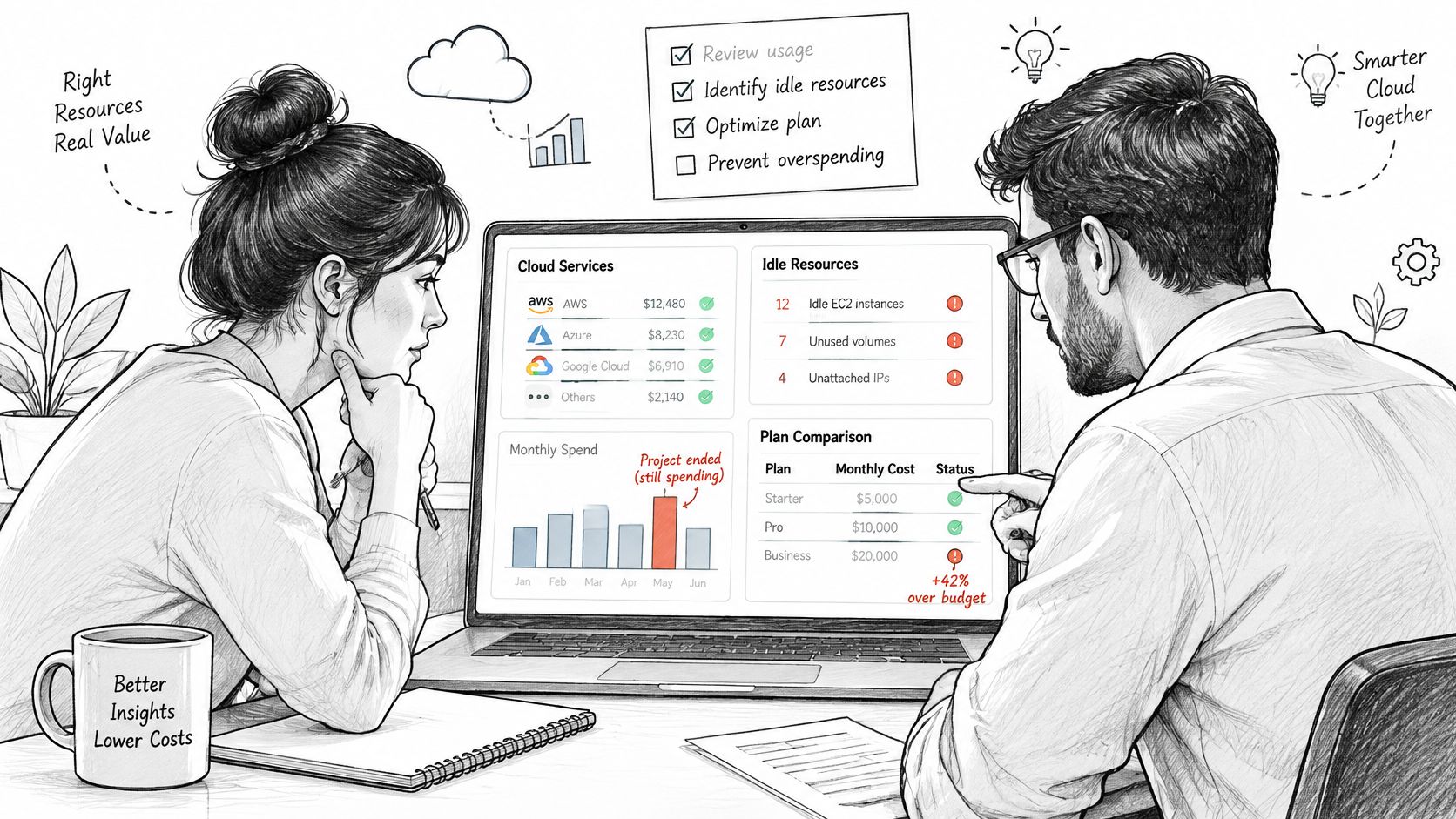
The scale is documented. Flexera's State of the Cloud Report 2025 found that organizations estimated 27% of their Infrastructure as a Service and Platform as a Service spending was wasted, down from 32% four years earlier, and that 24% of public-cloud software spend was considered wasted. The same report found 64% of respondents managed cloud-license use or cost, which follows from how closely infrastructure and subscription software now overlap.
Six steps for the monthly review
- Export the last 90 days of login or usage data for each paid tool.
- Divide active users by paid seats to get seat utilization for each tool, and compare that with the plan tier being paid for.
- Pull cloud resources by tag and flag anything with no meaningful activity in the period.
- Check each flagged item against its owner and its seat type in the register.
- Choose one action per item: reclaim, downgrade, consolidate, or keep with a written reason.
- Record every result as an estimate, with the method behind it.
The arithmetic is worth doing out loud. A business spending $100,000 on covered IaaS and PaaS would estimate $27,000 as wasted at the report's 27% rate, while $100,000 of public-cloud software spend would imply $24,000 at the 24% rate. Both are survey-based estimates to test against the account, not money already recovered. Keep the two categories separate so one blended percentage doesn't hide which half is worse.
Where to start: the three largest invoices. One finding on the biggest line moves the total more than a dozen small cancellations, and the effort is identical either way.
Where AI and Usage-Based Pricing Change the Math
Per-seat comparison stops working once a vendor meters usage. AI tools add variable costs a seat price never shows: token consumption, model selection, inference volume, data storage, integration, monitoring, and the human review time that catches what the model gets wrong. A tool that looks cheap per user can be expensive at volume.
The pattern already shows up in budgets. McKinsey's State of AI survey found that about 20% of respondents said AI-related operating costs, including token costs, were already constraining usage, while 28% said AI represented more than 10% of their organization's total ICT budget. Neither figure says AI replaces what a company already buys. New spending tends to sit on top of the existing stack, which is why the usage line has to be added to the total rather than swapped into it.
Headcount first, then consumption
Start with the fixed half. A tool at $10 per user per month with 30 users costs $3,600 a year. The same tool at 40 users costs $4,800, so headcount alone adds $1,200 before a single token or overage charge. Add the usage line to that base and compare the total with the budget line, never with the seat price on its own.
Then record what the vendor meters: volume against the contracted commitment, the model or tier being used, the overage rate, and the review hours the workflow consumes. Vendors selling on AI pricing models tied to tokens or API calls rarely cap the bill without a term that says so, which makes the overage rate the most important number in the contract.
At renewal, ask for the usage tier, the overage rate, and the model or inference limits in writing. A renewal conversation that covers only seats leaves the variable half of the bill unexamined.
Setting Spend Controls That Hold at Renewal
A review looks backwards. A control decides before the money leaves. Savings found in March survive to December only if a rule stops the same seat, plan and meter from drifting back to where they started.
Five controls and what triggers them
| Control | Trigger | Owner | Check frequency |
|---|---|---|---|
| Purchase approval | Any new tool or plan above the agreed amount | Finance with the budget owner | Per request |
| Renewal calendar | Any contract renewing within the next 90 days | Procurement or operations | Monthly |
| Usage budget alert | Spend above the forecast for the period | Finance | Monthly |
| Notice-period tracker | Auto-renewal with a notice window | Contract owner | Quarterly |
| True-up check | Installs or usage above purchased entitlements | IT or license manager | Monthly |
Thresholds decide whether the controls apply. Set the purchase approval figure to the budget authority of the person signing. The approval rule belongs at that delegated limit rather than at a round figure that ignores who can commit the spend.
The reminder window has to be longer than the notice period in the contract. A 60-day notice term needs a reminder at 90 days, otherwise the renewal decision is made by the vendor's calendar instead of yours. Flat per-seat software pricing models make this easy to check, and metered contracts make it harder to see, which is exactly why the notice date goes in the register and not in someone's inbox.
When a vendor publishes no price at all, approve nothing until each package has a written quote. A budget line built on an estimate is a guess with a spreadsheet format, and it fails the first time the actual number arrives.
Where a contract charges for seats used beyond the purchased count, count installs against entitlements every month and read the true-up terms before the renewal date. A catch-up invoice discovered after renewal has no negotiating room left in it.
For AI and API tools: put the alert on token, inference or overage volume, not only on seat spend, and carry the overage rate into the purchase approval.
Three roles close the loop. Finance sets the limit, the budget owner justifies the purchase, and procurement checks the terms before anything is signed.
Build Your First Spend Register This Month
- List every paid tool with its vendor, plan and seat count.
- Record each price from the vendor's pricing page with the date it was checked, in the currency and billing period the page shows.
- Mark every seat as active, inactive, shared, reserved or contractually locked.
- Add renewal dates and notice periods, sorted from the soonest to the latest.
- Run the usage review on the three largest invoices.
- Set one purchase approval rule and one renewal reminder.
A vendor quote is easier to accept or reject when there's a second number to compare against. Rankozo publishes price, spending and market-size statistics with the publisher and the exact quote behind every figure, so a quoted starting price can be tested against a recorded one instead of against memory.
By the end of the month the desk should hold three things: a one-page register, a fixed date for the next review, and a written rule for new purchases. Without all three, the next invoice arrives with no baseline to compare it against.
Start this month with the three largest invoices on the register. Export 90 days of usage for each, classify every seat as active, inactive, shared, reserved or contractually locked, and put the renewal date and notice period beside every line before the next renewal cycle opens. Rankozo's price indexes record the starting price, the billing period and the date each figure was checked, which gives a finance lead a published number to hold against the next vendor quote instead of a price remembered from the last contract. The register takes an afternoon. Every renewal after it gets a baseline, and every seat above the renewal date has to justify itself in writing.
Questions or corrections: editorial@rankozo.com