Guide · General
Stock Image Pricing: Subscriptions, Credits and Licenses
Compare Stock Image Pricing across subscriptions, credits and licenses, with cost per usable image, usage limits and sourced 2026 vendor prices.
By the Rankozo research desk · Updated November 11, 2026 · 15 min read
A globally distributed advertising campaign with exclusivity could cost as much as $50,000 for one or two years for a single image under the older rights-managed system, according to industry editor Jim Pickerell's account of the stock agency model. That figure reframes stock image pricing. Buyers aren't paying for pixels alone. They're paying for a defined right to use an image, in a defined place, for a defined period, sometimes with other buyers excluded. Change any part of that package and the price moves.
That's why a headline plan price rarely answers the procurement question. The useful comparison is cost per usable image after unused allowance, rollover limits and license upgrades are counted. A low monthly fee can produce an expensive usable asset when downloads go unused, while a higher license fee can be the cheaper route when it covers the exact use and removes later replacement or legal costs.
Table of Contents
- The Cheapest Workable Price and the Models Behind It
- License Types and Why the Price Ladder Splits
- Effective Cost per Usable Image by Purchase Route
- Usage Restrictions That Trigger an Upgrade
- Generative AI Images in the Cost Comparison
- Matching the Pricing Model to Your Situation
- Confirm the License Before You Pay
The Cheapest Workable Price and the Models Behind It
The cheapest workable option among the verified figures is Adobe Stock's 10-stock-asset plan at US$29.99 per month, or about US$2.99 per standard asset, according to Adobe Stock's pricing page checked in 2026. The figure holds only when the buyer uses all 10 assets. The same plan provides 10 standard assets or one video per month, so a video-led month doesn't deliver the same unit economics as a month of standard downloads.
Stock image purchase models and price signals
| Purchase model | Price signal | What drives the cost | Source and year |
|---|---|---|---|
| Subscription, 10 standard assets a month | US$29.99 per month, about US$2.99 per standard asset | Assets used each month and rollover limits | Adobe Stock plans page, checked 2026 |
| Credit pack, photo, vector or illustration | 12 to 50 credits per asset | Asset type and credit tier | Adobe Stock plans page, checked 2026 |
| Credit pack, HD or 4K video | 8 to 20 credits per asset | Resolution of the video | Adobe Stock plans page, checked 2026 |
| Premium-tier asset, on-demand | US$249.99 (25 credits) or US$499.99 (50 credits) | Premium tier Adobe assigns to the asset | Adobe contributor pricing documentation, checked 2026 |
| Single royalty-free download, Getty | Priced by file size, with no single universal price | File size, and single download versus prepaid pack or Premium Access | Getty purchasing FAQ, updated 2025 |
The premium rows explain why a single asset can sit far above subscription pricing. Adobe separates standard and premium content by credit price, and Adobe's contributor pricing documentation checked in 2026 lists US$249.99 for 25 credits and US$499.99 for 50 credits for on-demand premium purchases. At Getty, the mechanic differs again. Getty's purchasing FAQ updated in 2025 says royalty-free images and video clips are priced by file size, with the final price also shaped by a single download, a prepaid pack or annual Premium Access.
The unit has to match before the total means anything
Rankozo records the cheapest paid plan price word for word from the vendor's pricing page as shown to US visitors, with the date recorded. Prices in the index are listed in US dollars per month as published, and the units differ, per user, per site or per plan. A per-plan stock subscription therefore can't be compared cleanly with a per-user tool price until the buyer converts both to the same unit.
Practical rule: The advertised price is the starting point, not the cost.
License Types and Why the Price Ladder Splits
The price ladder is old, and it was already steep by the late 2000s. Industry data cited for 2007 placed Getty Images' average rights-managed image license at approximately $500 and its average royalty-free image license at approximately $250. The same 2007 comparison put the average iStockphoto image license at roughly $4.00, a gap of more than 60 times between the mainstream royalty-free average and the microstock average.
All of those numbers belong to 2007. Their value is explanatory: they show where the split came from and why a single market-wide average describes no real purchase a buyer makes. The same 2007 analysis reports that Getty increased royalty-free pricing by approximately 150% between the first quarters of 2002 and 2006, reaching an average of about $250. That higher price point created the opening for lower-priced microstock services, which sold images at substantially lower rates and accepted content from a broader contributor base.
Four routes, four pricing logics
Rights-managed licensing is priced by the use itself. Duration, placement, distribution channel, geography and exclusivity all enter the quote. The buyer purchases the named use, and a change in territory, term or placement triggers a new pricing event.
Standard royalty-free licensing works the other way. One fee is paid per file, and the buyer can generally reuse the file across projects under the applicable agreement. Royalty-free still carries a fee. The term describes how that fee is structured, standardized rather than negotiated use by use, which is why royalty-free prices cluster while rights-managed prices scatter.
Extended royalty-free sits above the basic tier. The higher price buys broader legal or commercial coverage. For a buyer, the live question is whether the intended use falls outside the standard package, because where it does, the standard price was never the applicable price for that use. The upgrade, not the plan price, sets the effective cost per usable image for that campaign.
Subscription and microstock downloads are sold low and in volume. The unit price assumes the buyer downloads regularly and accepts a standardized license. That model suits high-volume, low-risk uses well and a single high-exposure campaign less well, because license scope becomes the binding constraint once exposure rises.
What the rights-managed example shows
A Harvard Business School working paper on copyright infringement in the market for digital images prices a three-month license for a low-resolution image used on a secondary website page at $400, against $800 for a one-year, high-resolution license used on social media. The paper gives no date for the example, so the figures illustrate the pricing mechanics rather than current market levels. Those mechanics are the point: doubling duration and moving to higher resolution and a more prominent channel doubled the price, even though the transaction was still one image.
License types compared by scope and price logic
| License type | How the price is set | Use covered | Price signal | Source and year |
|---|---|---|---|---|
| Standard royalty-free | One fee per file | Repeated use across projects under the agreement | Getty's average royalty-free license ran approximately $250 in 2007 | Industry data cited for 2007 |
| Extended royalty-free | Set above the basic royalty-free price | Broader legal or commercial coverage | Priced above the standard tier for the same file, with the premium set per vendor and per use | Vendor license agreements |
| Rights-managed, low-resolution secondary website page | Set by use, duration and placement | Only the use named in the license | US$400 for a three-month license | Harvard Business School working paper, undated |
| Rights-managed, high-resolution social media | Set by use, duration and placement | Only the use named in the license | US$800 for a one-year license | Harvard Business School working paper, undated |
The comparison buyers should run is rights package against rights package. Paid media, merchandise, resale products, print runs, geographic reach and client sublicensing each need to be confirmed inside the license, because a low upfront price becomes uneconomic when campaign expansion requires additional rights or a new license. In cost-per-usable-image terms, an asset that needs an upgrade before it can be used at all effectively carries the upgrade price.
One picture can be sold on any of these routes. The route, and the scope written into it, sets much of the price. That is the conclusion the 2007 ladder still supports, even though the price points themselves belong to 2007.
Effective Cost per Usable Image by Purchase Route
Cost per usable image under five buying scenarios
| Scenario | Spend | Usable assets | Cost per usable asset | Basis |
|---|---|---|---|---|
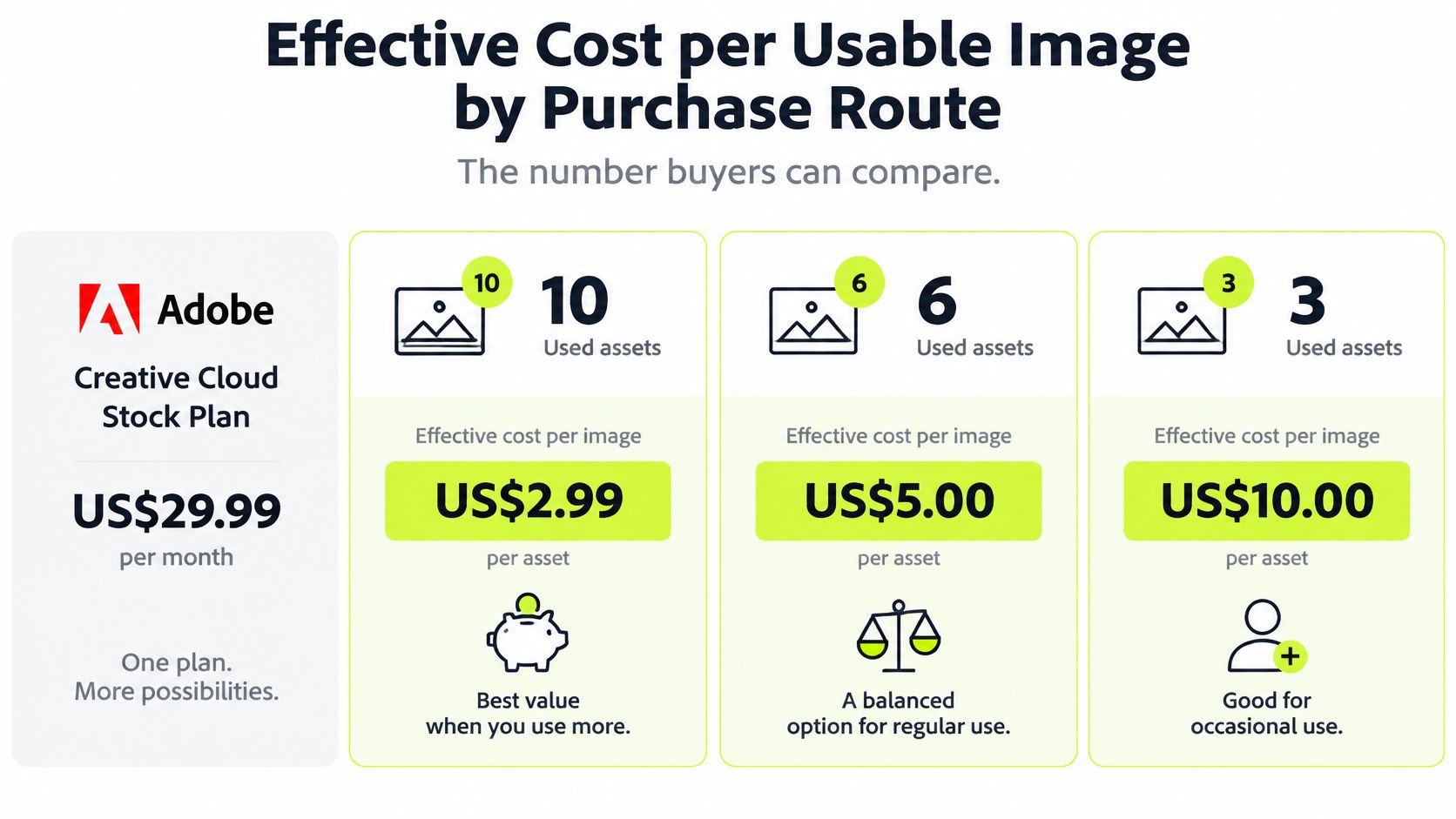
| Adobe 10-asset plan, all 10 assets used | US$29.99 per month | 10 | about US$2.99 | Adobe Stock plans page, checked 2026 |
| Adobe 10-asset plan, 6 assets used | US$29.99 per month | 6 | about US$5.00 | Calculated from the Adobe price |
| Adobe 10-asset plan, 3 assets used | US$29.99 per month | 3 | about US$10.00 | Calculated from the Adobe price |
| 100-download plan, 50 usable without upgrade | US$100 | 50 | about US$2.00 | Mordor Intelligence worked example |
| Single premium asset, on-demand | US$249.99 | 1 | US$249.99 | Adobe contributor pricing documentation, checked 2026 |
The arithmetic is the argument. Nothing about the Adobe plan changes between the first three rows except how much of it the buyer uses, yet the cost per usable asset moves from about US$2.99 to about US$10.00. The last two rows frame the same question from opposite ends: a bulk download allowance whose real cost depends on license fit, and a single premium asset bought at list price. A buyer comparing plans on headline price alone is comparing the wrong number.
The formula and the worked example
The Mordor Intelligence stock photography report frames the benchmark as effective unit cost = plan price divided by the number of downloads that are both relevant and legally usable. Its worked example gives a plan offering 100 downloads for $100 a nominal $1-per-download rate, but when only part of the allowance fits the brief without upgraded rights, the effective cost rises to approximately $2 per usable asset before staff search time. The same report puts royalty-free licensing at 71.65% of 2025 stock-photography turnover, with recurring licenses accounting for more than half of gross billings at leading vendors.
Three levers move the result. The first is unused allowance, shown in the table. The second is rollover. Adobe states that unused subscription credits can roll over subject to a maximum of 120 unused credits, and that purchased credits remain valid for one year and don't automatically renew. Rollover softens a quiet month, but the cap means a long run of low use still leaks value. The third lever is term. A monthly plan and an annual plan with the same monthly allowance produce different effective costs when demand is irregular, because the annual term charges for months the buyer doesn't use.
Divide the plan price by usable assets, not by the allowance printed on the plan.
Rankozo quotes prices from vendor pages on the date shown, and prices change often, so the calculation needs refreshing at renewal rather than being carried forward from the original purchase. The same unit-cost logic applies to other metered purchases, which is why the approach behind AI pricing models and usage-based billing transfers directly to stock subscriptions.
Six fields belong in a procurement comparison before any plan is chosen:
- Download caps: The allowance that sets the denominator ceiling, and therefore the best-case cost per asset.
- Rollover rules: Whether unused credits carry forward, and up to what limit.
- Fair-use limits: Any restriction that stops the full allowance being usable in practice.
- Team seats: Whether the price covers one user or the whole team.
- Cancellation terms: Whether the buyer can exit after a seasonal peak rather than paying through the trough.
- Expiry of unused credits: Whether paid value disappears at term end.
Usage Restrictions That Trigger an Upgrade
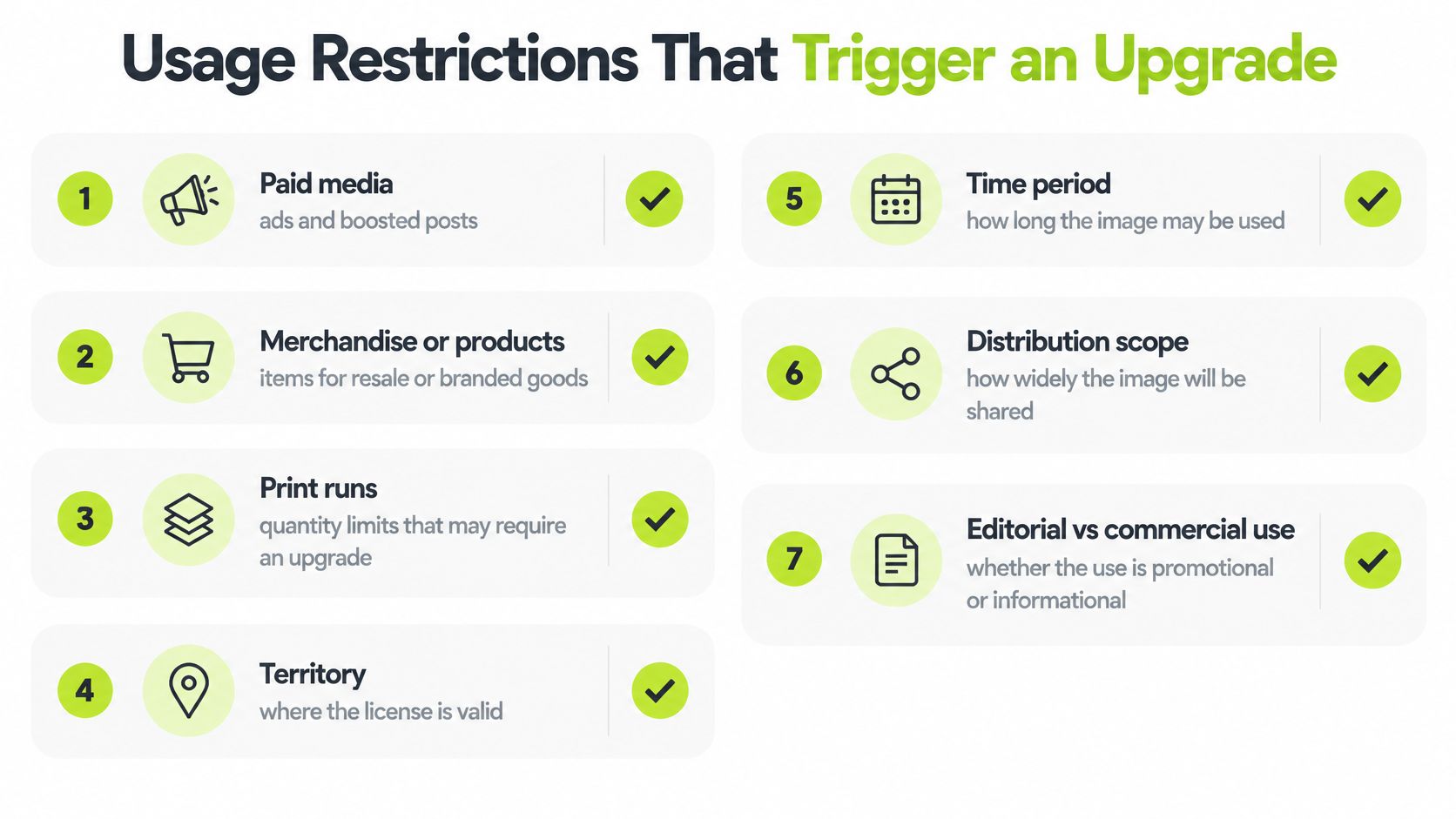
A standard license holds only for the uses it names. Seven use facts decide whether the license a buyer already has still covers the job, and each one should be checked before the image is published rather than after a campaign has launched.
The seven checks
- Paid media. Whether ads and boosted posts are included. If they aren't, the buyer needs a wider license quoted for paid placement before the campaign runs.
- Merchandise or products for resale. Whether the image can appear on goods sold to customers. If it can't, resale use needs a license that names it.
- Print run size. How many copies the license permits. A run above the stated limit moves the purchase to a license priced for that volume.
- Geographic reach. Whether the image may run in other countries. A wider territory is priced as wider scope, not added free.
- Duration. Whether the campaign will run past the license period. Extending the term means relicensing for the longer period.
- Client sublicensing. Whether an agency can pass the file to its client. If the license doesn't allow transfer, the client needs its own license or a terms change.
- Exclusivity. Whether the image is taken off the market for other buyers. Exclusivity is a separate, usage-priced agreement, not an add-on to a standard download.
In most cases the consequence isn't a penalty on the existing plan. It's a wider license quoted for the exact scope, priced by placement, duration and territory. That distinction matters for budgeting. The buyer isn't being fined. The buyer is discovering that the original purchase covered a smaller job than the one now planned.
The vendor's license text defines the answer for that asset, so the text, not the plan marketing page, is the document to read. Terms differ between vendors and between collections inside one vendor, and a right granted on one asset can't be assumed on the next.
Rule before publishing: If the use isn't on the list the license covers, the cost has already changed.
Generative AI Images in the Cost Comparison
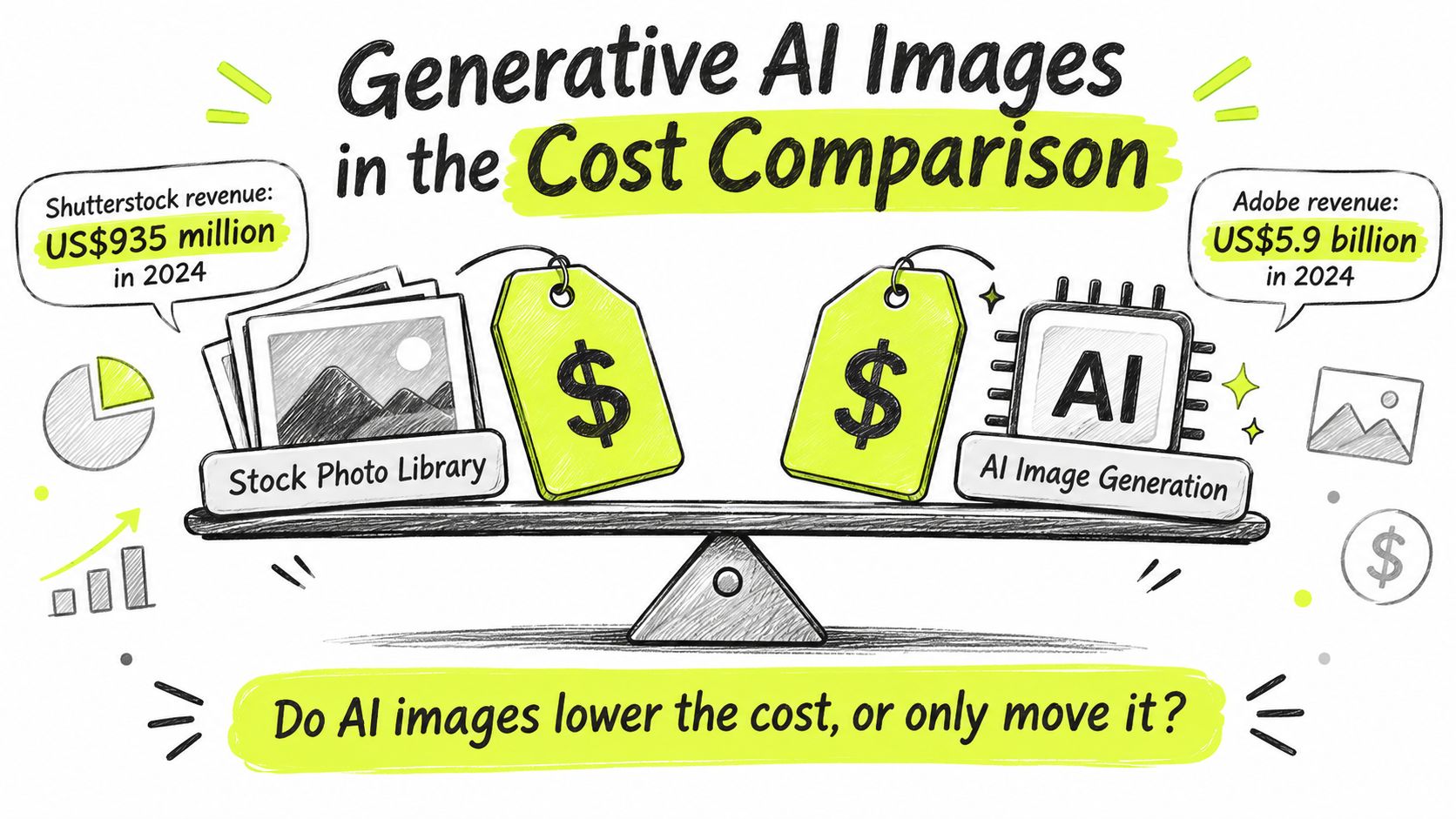
Generative AI doesn't make images cheaper. It moves part of the cost out of the license fee and into review time and risk. One number frames the shift: a 2025 analysis of generative AI and the major stock agencies reported that Shutterstock generated $935 million in 2024 revenue, up 7% year over year, at a moment when a growing share of major stock libraries is already AI-generated.
The two trends pull in opposite directions, and that tension is the useful part. Traditional stock revenue hasn't collapsed, yet machine-made content keeps filling the same catalogs buyers search. Buyers appear to be paying for discoverability, licensing certainty and legal protection, not only for human-created pixels.
Three cost layers, two uses
- The image or generation fee. For paid advertising, this is the stock license or the generator subscription. For editorial use, it's the same fee, but the tolerance for error is lower because the image carries informational weight.
- Human review and editing. An advertising image needs brand and product checks. An editorial image needs accuracy checks, because a plausible but false detail is a publishing error, not a style flaw.
- Legal and brand risk. Unclear training data, misleading realism, trademarks and missing model releases sit here. Advertising concentrates the trademark and endorsement risk. Editorial concentrates the misleading realism risk.
For context on what the generation route costs at the entry level, Rankozo's AI tools price index puts the median starting price at $12 per month, with 71% of tools offering a free plan and the cheapest paid tier at Midjourney, $8 per month. Buyers comparing generation routes can shortlist candidates from Rankozo's ranking of AI image generators, then apply the three layers above to each one, since the subscription price covers only the first layer.
Three routes compete for each use. A conventional stock image carries the clearest license and the lightest review burden. An AI-generated image carries the lowest fee but shifts cost into checking and editing. A hybrid workflow lets AI supply drafts or backgrounds while a licensed asset covers the risky elements, such as recognizable people or branded products.
The question to answer is which route gives the lowest risk-adjusted cost per usable image for this use. Sticker price measures only the first layer, and the cheapest plan stops being cheapest once review hours and license upgrades enter the total.
Matching the Pricing Model to Your Situation
Volume and use come first. The cheapest route is the cheapest one that still covers the intended use, and that ordering reverses how most comparisons are built, since most start with the plan and check the license afterward.
Cheapest route by buyer situation
| Situation | Likely cheapest route | Why it changes the price | Check before paying |
|---|---|---|---|
| Steady need, about 3 images a month | Monthly plan only if the allowance is used, otherwise buy single assets | Unused allowance raises the cost per usable asset | Count actual downloads over three months |
| Seasonal burst, about 50 images in one month | Monthly plan with the largest allowance that fits the month, then cancel | An annual commitment pays for months that go unused | Check renewal terms and rollover limits |
| Paid social or search campaign | Standard royalty-free if paid media is included, otherwise rights-managed or extended for the campaign | Paid media and campaign duration are part of the license scope | Confirm paid media and the end date in the license |
| Merchandise or products for resale | Extended royalty-free | Broader commercial coverage is priced above basic royalty-free | Confirm resale and product limits in the license |
| Print run or large outdoor placement | Rights-managed or extended, quoted by placement and volume | Print volume, placement and territory set the price | Confirm the print run and location limits |
How each trigger works
A steady need of about three images a month is the case where subscriptions lose. The plan fee is fixed, so every unused download raises the unit cost, and single-asset buying wins once actual use falls far enough below the allowance. Three months of real download counts settle the question better than a forecast.
A seasonal burst reverses the logic. Say a retailer needs about 50 images for one campaign month and almost none for the rest of the year. A large monthly allowance used in full produces a low unit cost for that month, while an annual commitment spreads the same need across eleven months of payments for nothing.
Paid campaigns turn on scope rather than volume. A standard royalty-free license is the cheap route only when paid media is inside its terms and the campaign ends inside its period. When either condition fails, rights-managed or extended licensing isn't an upgrade for its own sake. It's the license that matches the job.
Merchandise and large placements are priced by exposure. Resale products put the image on goods customers buy, and outdoor placements put it in front of a defined audience in a defined place. Both uses are quoted on the factors that create that exposure, which is why neither can be budgeted from a subscription unit price.
The cheapest advertised plan is cheapest only at full use.
The decision rule is consistent across all five rows. Divide the plan price by the usable assets expected, then add the license upgrade the use requires. That two-step calculation is the same structure used to compare software pricing models based on seats, usage and tiers, because in both markets the billing unit and the usage limit set the cost.
Confirm the License Before You Pay
The procedure below converts a plan comparison into a defensible purchase. Each step closes one of the gaps that makes advertised stock image pricing diverge from the amount a buyer spends.
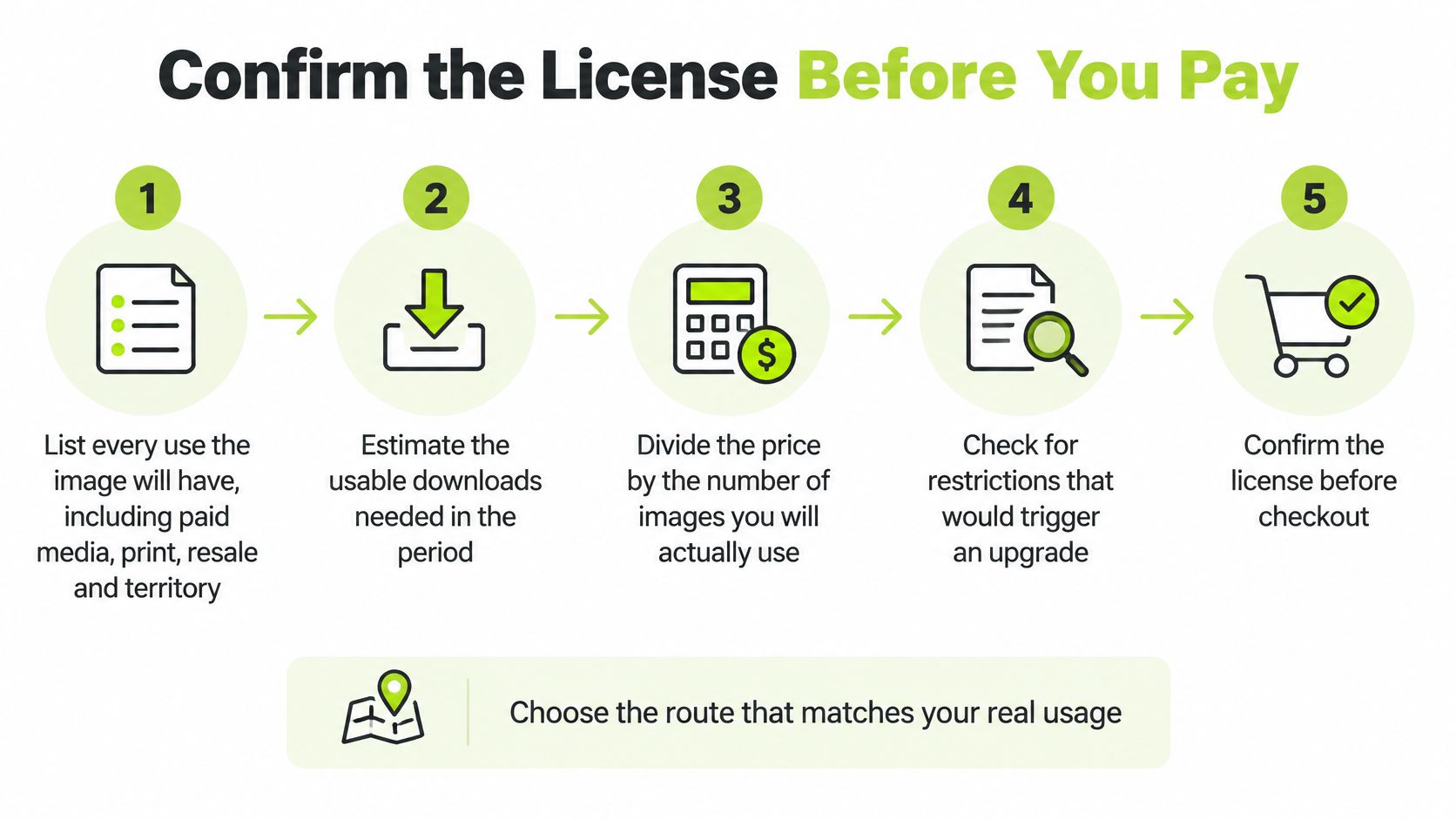
Six steps, and the slip attached to each
- List every use the image will have, including paid media, print, resale and territory. The common slip is listing the first use and forgetting the campaign extension already being discussed.
- Estimate usable downloads needed in the period. The common slip is forecasting need instead of counting downloads from recent months.
- Divide the plan price by usable assets to get cost per usable asset. The common slip is dividing by the full allowance and treating the result as achieved.
- Add the license upgrade the use requires, quoted by the vendor for the exact scope. The common slip is buying a standard license for a use that needs an extended one.
- Record vendor, plan, price, currency, tax and check date, because prices change often. The common slip is comparing a monthly price against an annual term without converting both to the same period.
- Save the license text with the invoice so the usage terms can be checked later. The common slip is counting unused credits as stored value when they expire or don't renew.
The sequence matters. Steps one and four establish whether the license is valid for the job. Steps two and three establish whether it's economical. Reversing that order produces the familiar outcome, a cheap purchase that has to be made twice.
The next step is narrow and practical. Choose the cheapest route that clears the use list, not the cheapest advertised plan.
Buyers ready to price a real shortlist can run the six steps above against the vendor pages linked in this guide, record each price with its check date and currency, and compare the results on cost per usable image. For wider software and AI tool budgets, Rankozo's price indexes list vendor-published prices with the date each one was checked, giving procurement teams a sourced starting point for the next comparison.
Questions or corrections: editorial@rankozo.com